


Top
Analytic Step View(ASV)
1. End-User Data Analysis Tool
Analytic Step View (ASV) is a self-service data analysis tool that enables business end users to analyze enterprise data through intuitive step-by-step selections (Step View). Using ASV, accumulated corporate databases can be easily selected, filtered, and joined into actionable analytical information.
User-Friendly UI Configuration
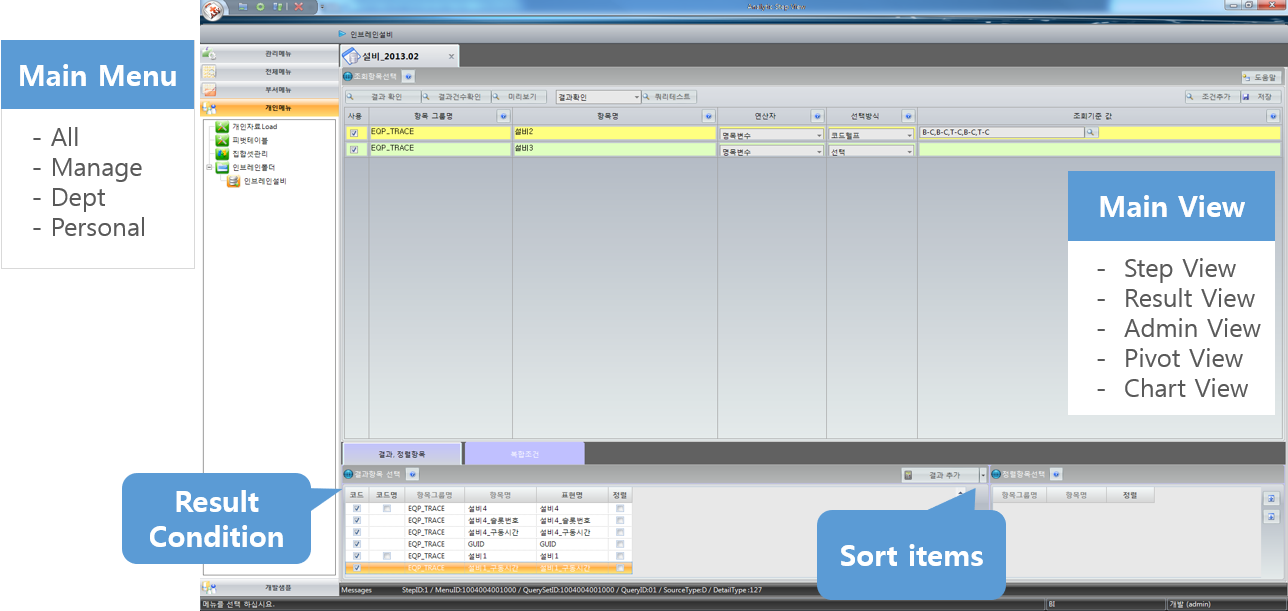
Immediate Result Verification
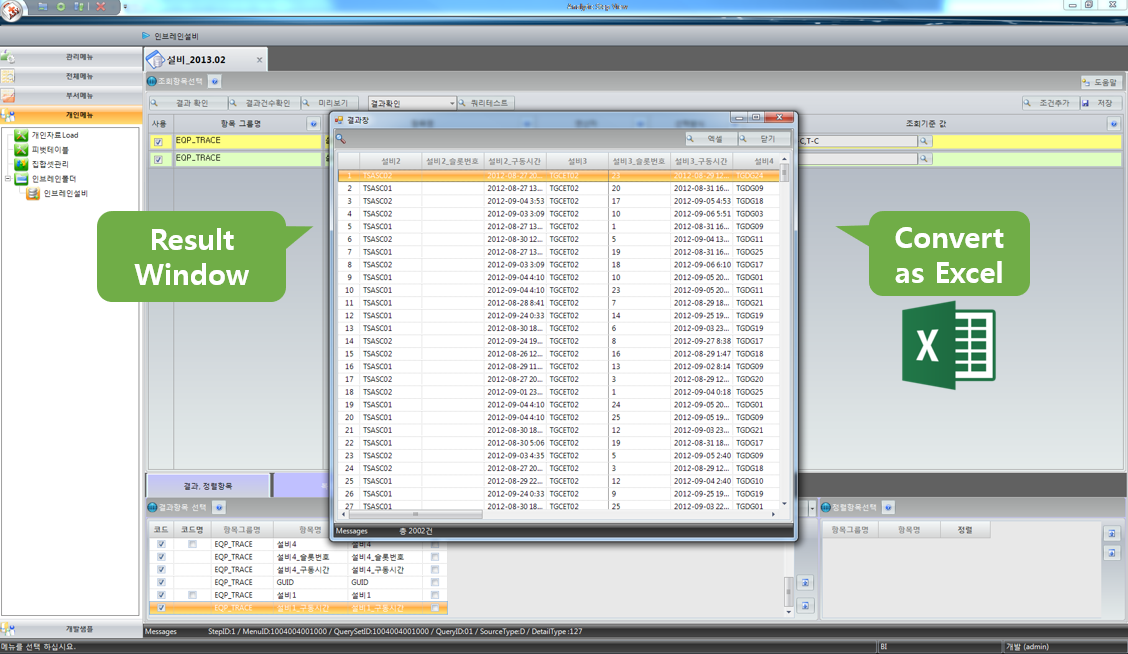
- Through an intuitive step-by-step workflow, business users can process and generate analytical information and immediately verify selected, filtered, joined, and sorted data in the result window.
- Generated results can be exported directly to Microsoft Excel for further analysis and reporting.
2. Various Functions for Information Analysis
Easy Access Through Step-by-Step Data Selection
- Wizard-type selection interface (Step View)
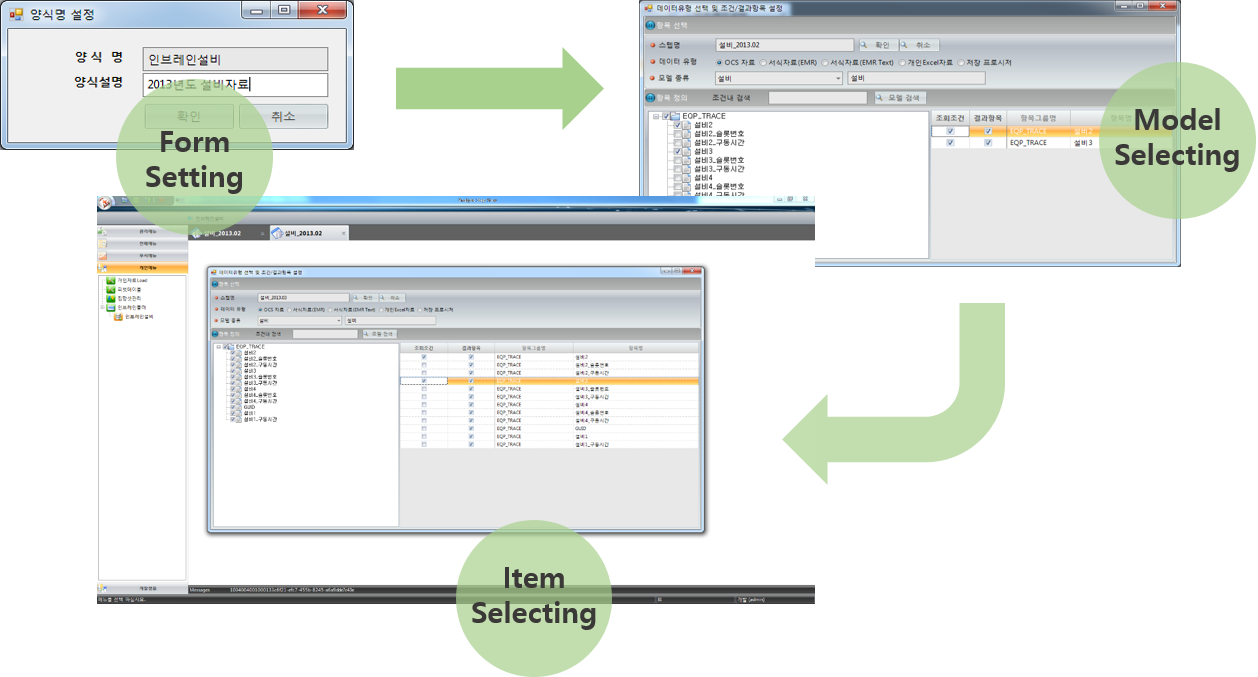
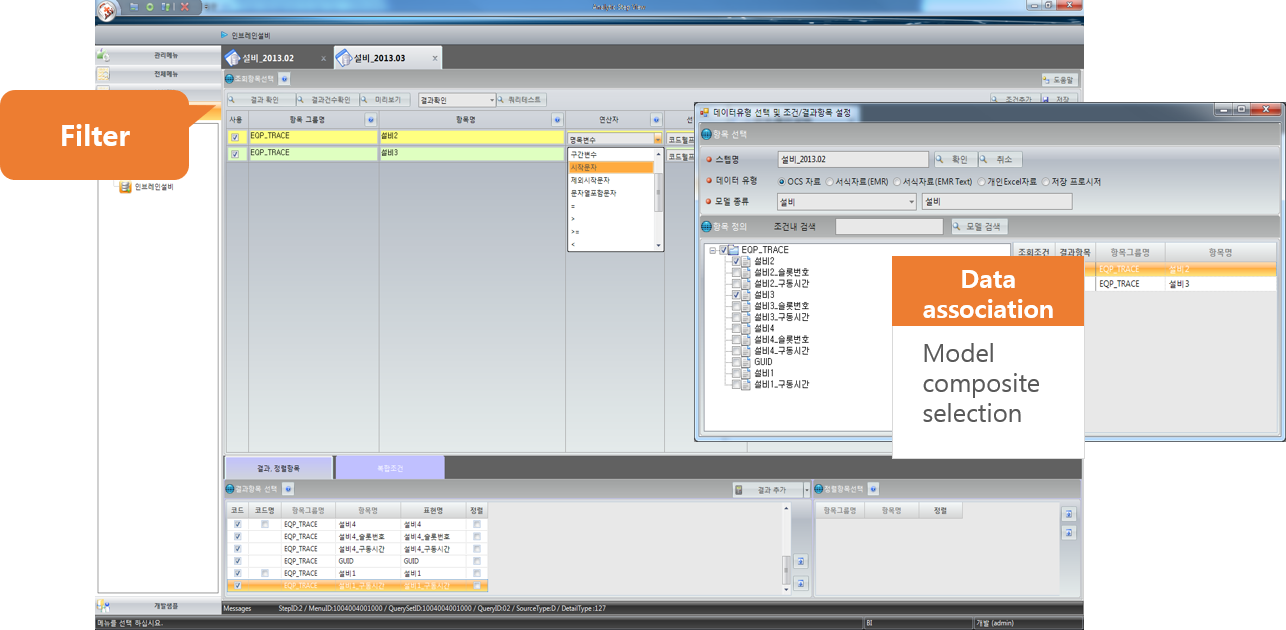
Multi-Model Selection and Item Filtering
-
User-friendly data filtering (Filter) processing
√ Supports diverse conditional operations -
Data processing through table joining (Join)
√ Flexible selection method handling
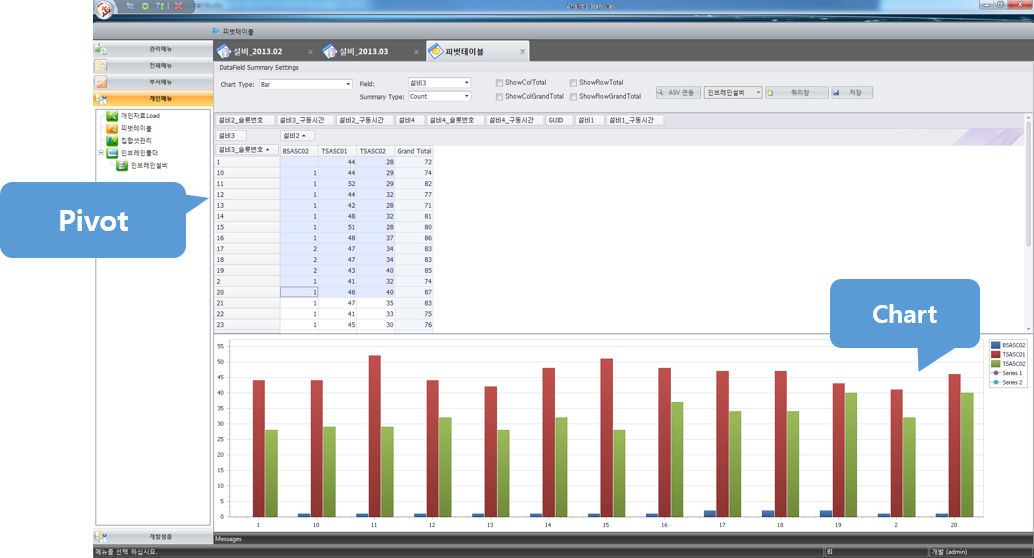
Result Pivot & Chart Visualization
- Pivot table processing for multi-dimensional analysis
- Chart expression for intuitive data visualization
3. Functions for Administrators
Automatic Model Creation
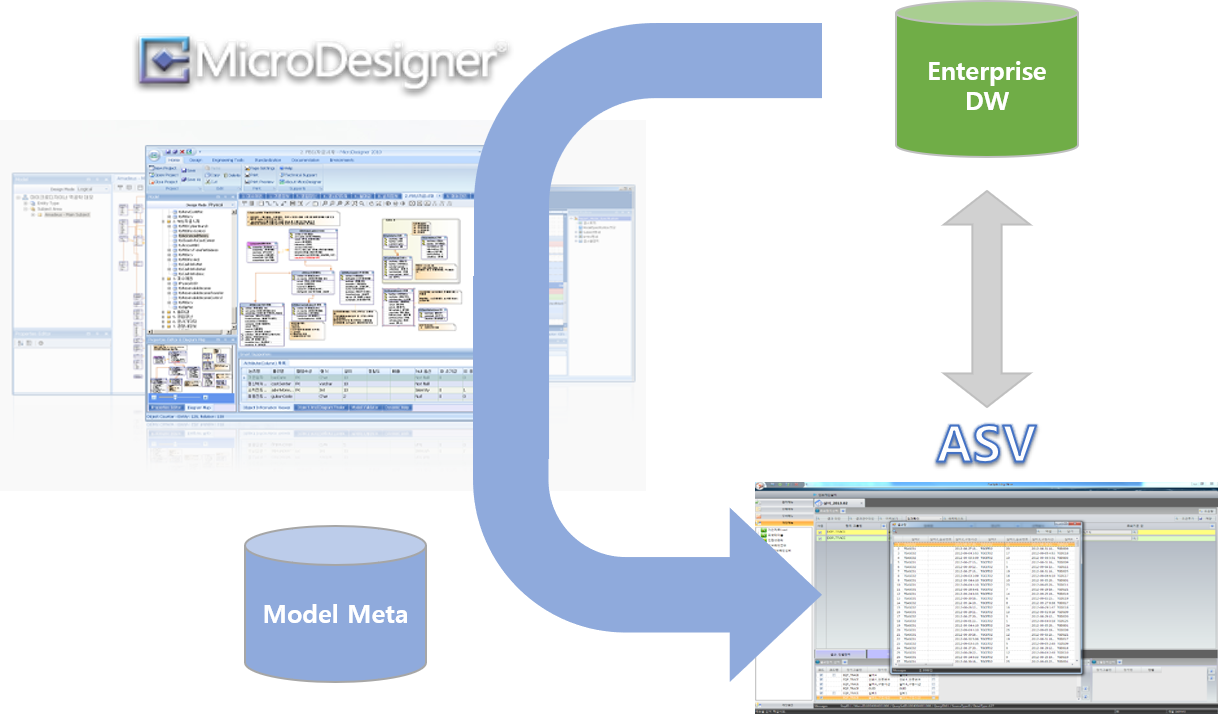
- Automatic model creation and data source metadata management
√ Integrates with MicroDesigner (MicroERD) to access original corporate data sources, generate models automatically via reverse engineering, and apply business-friendly terminology as metadata.
√ Automatically builds metadata from models so end users can collect, process, and analyze information using familiar business terms through wizard-type steps.
Code Set & Permission Management
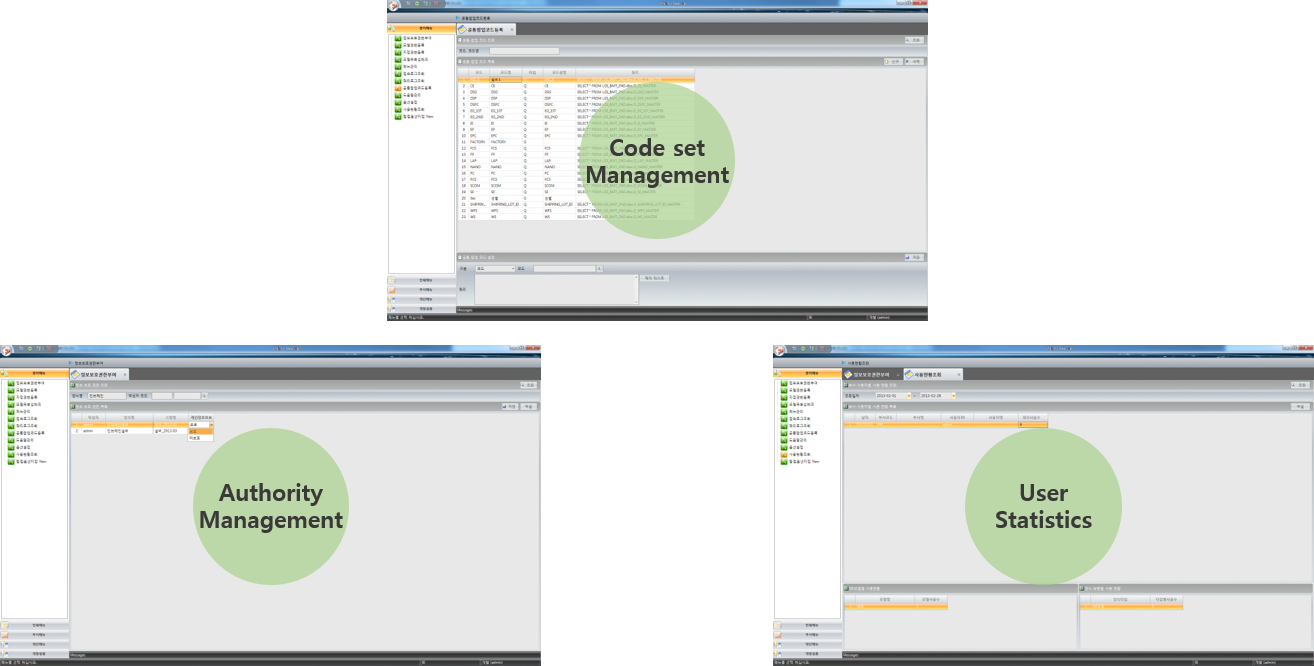
- Code set management for end users
- Authority management for information security
- User usage statistics √ Tracks frequently used models to facilitate model reuse and optimization.
Frequently Asked Questions (FAQ)
Q. Who is Analytic Step View (ASV) designed for?
ASV is a self-service data analysis tool designed for non-technical business end users, enabling them to extract and analyze enterprise data through an intuitive step-by-step wizard (Step View) without writing SQL queries.
Q. How can users view and export analysis results in ASV?
Users can immediately preview selected, filtered, joined, and sorted data in the result pane, visualize data with Pivot tables and Charts, and export results to Microsoft Excel for further editing.
Q. How does ASV handle metadata management and data security for administrators?
Administrators can automatically generate reverse-engineered data models via MicroDesigner, apply business-friendly terminology (metadata), manage group/level security permissions, and track usage statistics.